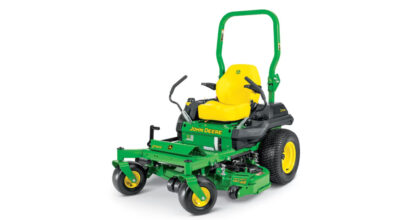
Leveling a John Deere Zero-Turn Mower Deck is essential to get the maximum use out of the machine as you work. However, not everyone is accustomed to using the Quick Leveling Method to make necessary adjustments on the fly. Let’s take a look at how you can level the deck on your zero-turn mower and ensure that you’re ready to tackle all of the challenges of your yard.
Key Takeaways
- A level mower deck helps a John Deere zero-turn mower deliver a cleaner, more consistent cut across the lawn.
- Before making adjustments, park on flat ground, turn off the engine, set the parking brake, remove the key, and disconnect the spark plugs.
- The quick leveling method uses the deck-leveling gauge, proper tire pressure, and a mid-range cutting height (e.g, ~2.5 inches) to calibrate the deck.
- Side-to-side and front-to-back adjustments help ensure the deck sits evenly before mowing.
- After leveling the deck, confirm the deck latches in the transport position, store the gauge, reconnect the spark plugs, and resume mowing.
How to Level a Zero-Turn Mower Deck
- Be sure to recognize the safety information and understand the safety signal words within your operator’s manual before you begin.
- To level the mower deck, you will need an 18-millimeter wrench, 15-millimeter wrench, a tire pressure gauge, and the deck-leveling gauge provided to you in your mower storage compartment.
- Park the machine on flat ground, turn the engine off, and set the parking brake set down.
- Remove the key and be sure to turn the caster wheels in the forward driving position.
- Disconnect your Z-Trak spark plugs.
- Ensure that the front and rear tires are inflated to the specified pressure. This information can be found in your operator’s manual.
- Insert the magnetic pin at the two-and-a-half-inch hole, and lower the deck.
- Once the deck is adjusted at the two-and-a-half inch cutting height position, it is level and calibrated for all other cut height positions.
- Adjust the mower deck level from side to side. Start by using the deck-leveling gauge to check the height between the ground and the deck rim at the adjusting point one. The gauge should just slip under the deck rim.
- If adjustments are necessary on the rear left deck rim area, turn the rear nuts clockwise to raise the mower deck, or counterclockwise to lower the mower deck until the leveling gauge just slips under adjusting point one.
- Repeat this procedure on the rear right side of the deck for adjusting point two. If an adjustment of more than three millimeters or an eighth of an inch is required, adjust both points alternately. A large adjustment on one side can move the other side in the opposite direction.
- Repeat these steps as necessary until you are satisfied with your deck level.
- To adjust the mower deck level, front to back, use the deck-leveling gauge to check the height between the ground and the front deck hanger bracket at adjusting point three.
- The gauge should just slip under the bracket. If adjustments are necessary, loosen the lower nut on both sides of the deck.
- Beginning with the front left, turn the top nut equally on each side of the deck clockwise to raise the front of the mower, or counterclockwise to lower the front of the mower until the gauge just slips under.
- Tighten the lower nuts after the adjustment is complete.
- Verify that all four corners have some tension before storing the gauge.
- Verify that the deck latches in the transport position. If it does not latch, return to adjusting points one and two, and turn both rear adjusting nuts counterclockwise equally to lower the rear of the deck until the deck latch engages.
- Return the deck-leveling gauge to the stored position in the storage compartment.
- Reconnect your ZTrak spark plugs, and you’re ready to mow.
If you have any questions about your John Deere Zero-Turn mowers, you can contact your local John Deere dealer.
If you enjoyed this post or want to read others, feel free to connect with us on Facebook, Pinterest, or Twitter!