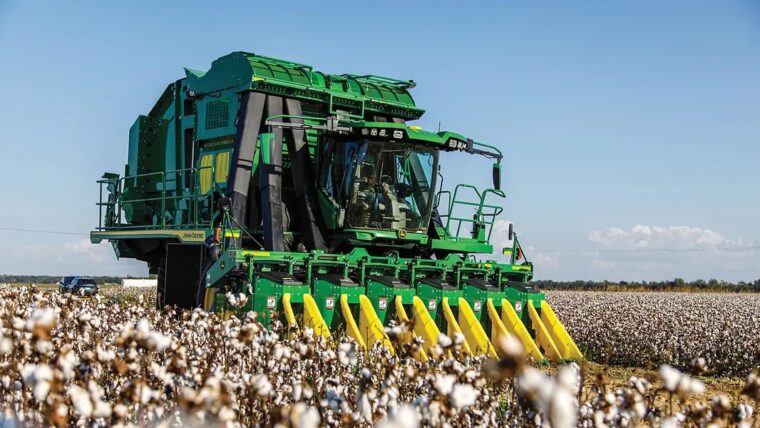
Cotton harvest requires growers to pick, collect, and prepare seed cotton for transport and ginning within a limited harvest window. John Deere cotton pickers combine several of those steps in a single machine.
Modern models remove cotton from open bolls and form wrapped round modules directly in the field, reducing the need for separate module-building equipment during harvest.
This guide compares John Deere cotton picker models and features, including what operators and owners should inspect when evaluating a used machine.

Key Takeaways
- John Deere round-module cotton pickers combine picking, cotton handling, and module building in one machine.
- Row spacing and picker-unit configuration should match how cotton is planted.
- When evaluating a used picker, inspect picker-unit wear, cotton-flow components, and module-building systems alongside its maintenance history.
- The 7760, CP690, and CP770 offer different levels of capacity, technology, and operator features.
What Sets John Deere Cotton Pickers Apart?
John Deere’s 7760, CP690, and CP770 combine picking, cotton collection, and round-module building in one machine. Picking units use rotating spindles to pull seed cotton from open bolls while leaving most of the plant behind, unlike a cotton stripper, which removes more plant material along with the cotton.
Air then carries the picked cotton to an accumulator before it moves into the onboard round module builder, where it’s compressed, wrapped, and unloaded in the field. This integrated process eliminates the need to unload a full basket into separate module-building equipment.
As a result, crews can reduce the number of machines and handoffs required during harvest. Cotton moves from the plant to a wrapped module within the same harvesting process, helping crews continue picking with fewer unloading interruptions.
John Deere Cotton Picker Models to Know
The CP770, CP690, and 7760 represent different generations of John Deere round-module cotton pickers.
All three pick cotton and build modules onboard, but vary in capacity and technology, which are key factors when comparing models for an operation.
John Deere CP770

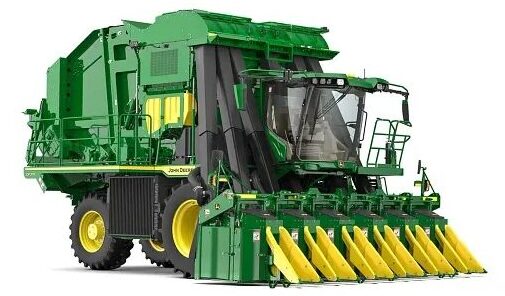
The CP770 is John Deere’s latest generation cotton picker, building on the round-module systems of the 7760 and CP690. Highlights include:
- Greater module-building capacity. The CP770 produces modules that are up to 2% larger and 5% denser than the previous generation and can wrap and eject a completed module in about 30 seconds. Packing more cotton into each module while shortening the unload cycle helps farmers spend more of the harvest day picking.
- Newer operator and precision technology. Improved cab visibility, a Generation 4 display, and JDLink™ connectivity give operators better views around the machine and easier access to machine and harvest information.
John Deere CP690

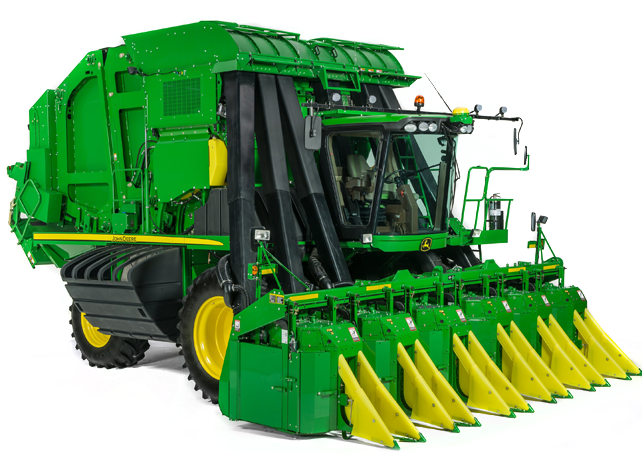
The CP690 preceded the CP770 and remains widely relevant to farmers shopping the used market. Its advantages include:
- Continuous round-module harvesting. The CP690 forms, wraps, and unloads round modules onboard, reducing stops for unloading and the labor and equipment needed to handle cotton during harvest.
- Precision and performance capabilities. Features such as four-wheel drive, JDLink™ connectivity, and a 590-horsepower engine provide field performance and precision capabilities in a machine that may carry a lower purchase price than a newer CP770.
When comparing a CP690 with a CP770, weigh the potential upfront savings against differences in capacity, technology, hours, condition, and maintenance history.
John Deere 7760

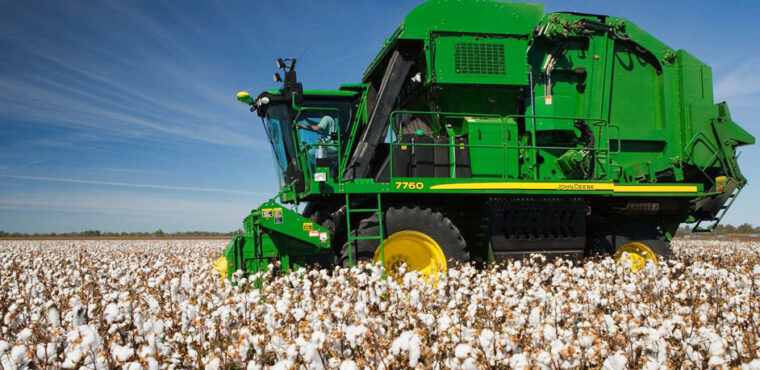
The 7760 introduced John Deere’s onboard round-module system and remains an option on the used market for operations that want integrated module building. It provides:
- Onboard module building in an earlier generation. The 7760 picks cotton and forms, wraps, and unloads round modules during harvest, giving farmers an alternative to basket-style pickers that require separate equipment to build modules.
- Available technology and configuration options. Depending on model year and configuration, some machines may include guidance, harvest documentation, visibility, or other technology features that were available when the machine was sold.
Because 7760s have been in the field longer, individual machine condition deserves close attention. Inspect wear on the picking and module-building systems and review service records for signs of how the machine has been maintained.
Which John Deere Cotton Picker Features Matter Most in the Field?
When comparing cotton pickers, focus on features that affect field compatibility, cotton flow, and operator productivity, such as:
- Picking units and row configuration
- Onboard round module building
- Precision technology and harvest data
- Operator visibility, controls, and comfort
Picking Units and Row Configuration
Picker units need to follow the rows closely to remove cotton effectively while limiting contact with the plants. Matching the picker’s row spacing and configuration to how your cotton is planted helps maintain consistent picking performance throughout the field.
Configurations can vary within the same model. The CP770, for example, is available with multiple row-spacing options, so verify the number of rows and spacing before buying to avoid modifications and ensure the machine fits your fields.
Onboard Round Module Building
Onboard module building allows operators to form, wrap, and unload modules without stopping to transfer cotton to separate module-building equipment, helping keep the picker moving through the field.
That efficiency becomes especially valuable when weather or crop conditions limit the number of good picking days.
Precision Technology and Harvest Data
Precision agriculture technology can help operators maintain row alignment while giving better visibility into machine and harvest performance. Guidance technologies such as AutoTrac, and in some applications RowSense, can help keep the picker aligned with rows, reducing steering corrections so operators can focus more attention on picking performance and machine operation.
JDLink™ and John Deere Operations Center let farmers remotely monitor machine information, while available harvest documentation records data about the cotton being picked. Together, these tools give farmers a clearer record of harvest performance to review during and after the season.
Operator Visibility, Controls, and Comfort
Clear sightlines and camera views help operators monitor the rows, machine, and surrounding activity without constantly repositioning themselves in the cab. Accessible displays and controls keep machine information and adjustments within easy reach while harvesting.
Comfort also matters when operators spend long days in the field. Supportive seating and climate control can reduce fatigue, helping operators stay attentive as hours in the cab add up.
What Should I Inspect Before Buying a Used John Deere Cotton Picker?
Model number is only one consideration when evaluating a used John Deere cotton picker. Take into account:
- Hours and overall machine use
- Picker units and wear components
- Air and conveying system
- Accumulator and feeding components
- Module-building and wrapping systems
- Cotton-flow condition
- Machine configuration
- Precision and guidance technology
- Maintenance and service history
Hours and Overall Machine Use
Use engine hours as context, not a verdict on condition. A higher-hour picker with consistent maintenance and recent component replacements may need less immediate work than a lower-hour machine with a limited service history.
When available, compare engine hours with harvest or fan hours to see how much of the machine’s running time was spent actively harvesting. This provides more context for the wear you find during the inspection.
Picker Units and Wear Components
Inspect spindles, doffers, moisture pads, and other row-unit components that directly contact the crop. Their condition affects how effectively the picker removes cotton and can reveal parts that may need replacement before harvest.
Compare wear from row to row rather than looking at each unit in isolation. One unit showing noticeably more wear than the others can point to a localized maintenance or performance issue worth investigating.
Air and Conveying System
Check air ducts, fans, fan drives, and other conveying components for damage, buildup, and previous repairs. Because airflow carries picked cotton away from the row units and through the machine, restrictions or damaged components can contribute to plugging or inconsistent feeding.
Pay particular attention to areas with evidence of recurring repairs or heavy buildup, which may point to a cotton-flow problem requiring further inspection.
Accumulator and Feeding Components
Inspect the accumulator, feeder belts, rolls, and sensors for uneven wear, alignment problems, or repeated repairs. Since this system controls the movement of cotton into the round module builder, problems here can lead to interruptions during module formation.
Module-building and Wrapping Systems
Look for wear or damage on module-builder belts, wrapping components, sensors, and other parts involved in forming and unloading modules. Problems in this system can interrupt module building and stop harvest until they’re addressed.
Service history can also help distinguish expected wear from a recurring problem.
Cotton-Flow Condition
Follow the cotton path through the machine, looking for buildup and damaged surfaces. Evidence of repeated plugging or accumulation can point to an underlying flow issue that calls for closer inspection before purchase.
Machine Configuration
Confirm the number of rows, row spacing, drivetrain or traction setup, and other major specifications against your operation. A picker in excellent condition still needs to match how your cotton is planted and the field conditions where it will work.
Verify the configuration of the individual machine rather than relying on its model number. Changing row spacing or other major equipment after purchase can add cost and preparation before the picker is field-ready.
Precision and Guidance Technology
Check the displays, receivers, guidance systems, connectivity features, and harvest-data capabilities included with the individual picker. Equipment can vary between machines of the same model and year, making the listing or model number alone an incomplete guide.
Also identify any missing precision agriculture equipment. Displays, receivers, or other components that must be sourced separately add to the cost of getting the machine equipped the way you want.
Maintenance and Service History
Use service records to put the physical inspection in context, particularly for the picking, conveying, and module-building systems. Documented maintenance, major repairs, and component replacements show what work has already been done and what may still be ahead.
Recent replacement of major wear components can reduce near-term maintenance needs. Gaps in the records, meanwhile, make a thorough inspection more important before committing to the machine.
Find a John Deere Cotton Picker With MachineFinder
Choosing a cotton picker means balancing field compatibility, condition, technology, and purchase price. Comparing available machines side by side based on their specifications, features, and history can help you make a more informed purchase.
Ready to find your next cotton picker? Compare John Deere cotton pickers on MachineFinder, then connect with your local John Deere dealer for more information about a machine’s condition, specifications, and availability.

John Deere Cotton Picker FAQs
1. What Should I Compare First When Narrowing Down Used Cotton Picker Listings?
Start with row count, row spacing, and machine configuration to rule out pickers that don’t match your fields. Then compare condition, hours, technology, service history, and price among the machines that fit your operation.
2. How Can I Tell If a Cotton Picker Has Been Well Maintained?
Service records can show whether routine maintenance and major repairs were completed on time, while the machine itself can reveal how well it has held up. Look for consistent wear, recent component replacements, and signs of recurring problems in high-wear areas.
3. Should I Prioritize Lower Hours or Newer Model Year When Comparing Used Cotton Pickers?
Neither tells the full story. Consider hours and model year alongside condition, maintenance history, and recent repairs, since a well-maintained older or higher-hour picker may require less immediate work than a newer machine with neglected maintenance.
4. Can a Dealer Help Me Compare Multiple John Deere Cotton Picker Models?
Yes. A John Deere dealer can help you compare model specifications, configurations, technology, and individual machine condition, as well as identify equipment you may need to add for your operation.
5. What Should I Know About Transporting a Cotton Picker After Purchase?
A cotton picker’s size and configuration can affect the hauling equipment, route, and preparation needed for transport. Ask the selling dealer about these requirements and any associated logistics before finalizing the purchase. Transport requirements may vary by machine configuration, state regulations, and whether row units require preparation or modification before hauling.